
Build with the AI Coder#
Every Tina4 project ships with an AI coder in the dev admin. Describe what you want and it scaffolds the resource, runs the tests, and serves the result live — you watch the endpoint go from 404 to 200 without a restart.
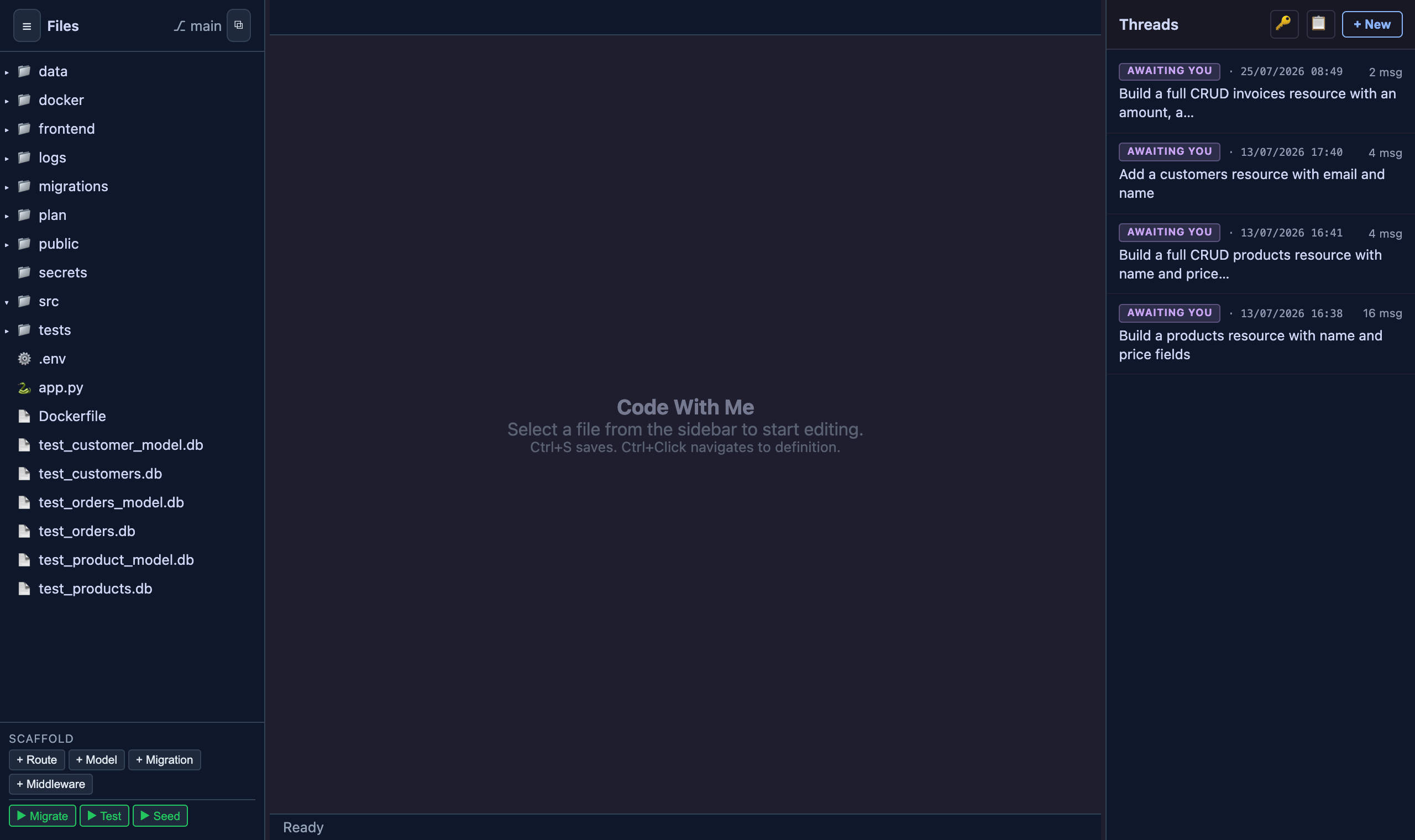
Start building#
- Start the project:
tina4 serve- Open the dev admin at
/__devon your running app — for example
http://localhost:7146/__dev.
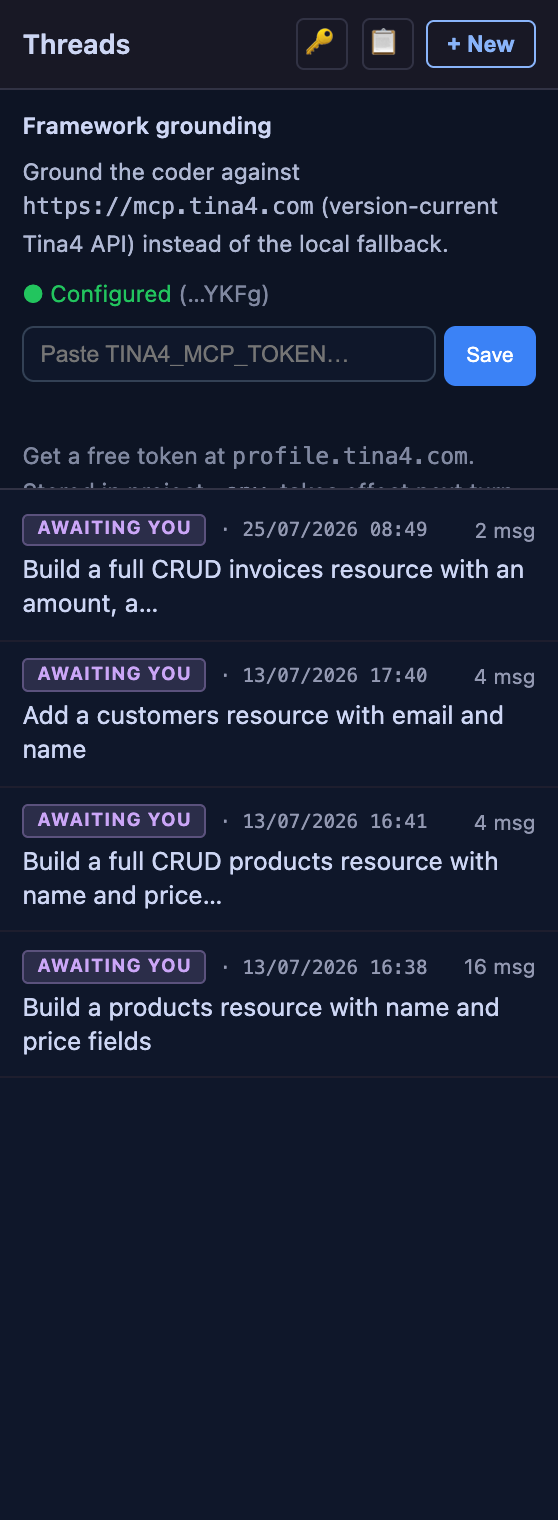
- Add your Tina4 MCP key. Click the key icon in the Threads panel, paste
your key, and press Save. Get a free key from your account at profile.tina4.com. The key saves to your project .env as TINA4_MCP_TOKEN and takes effect on the next turn — no restart. The panel shows a green Configured status once it lands.
 {width=340}
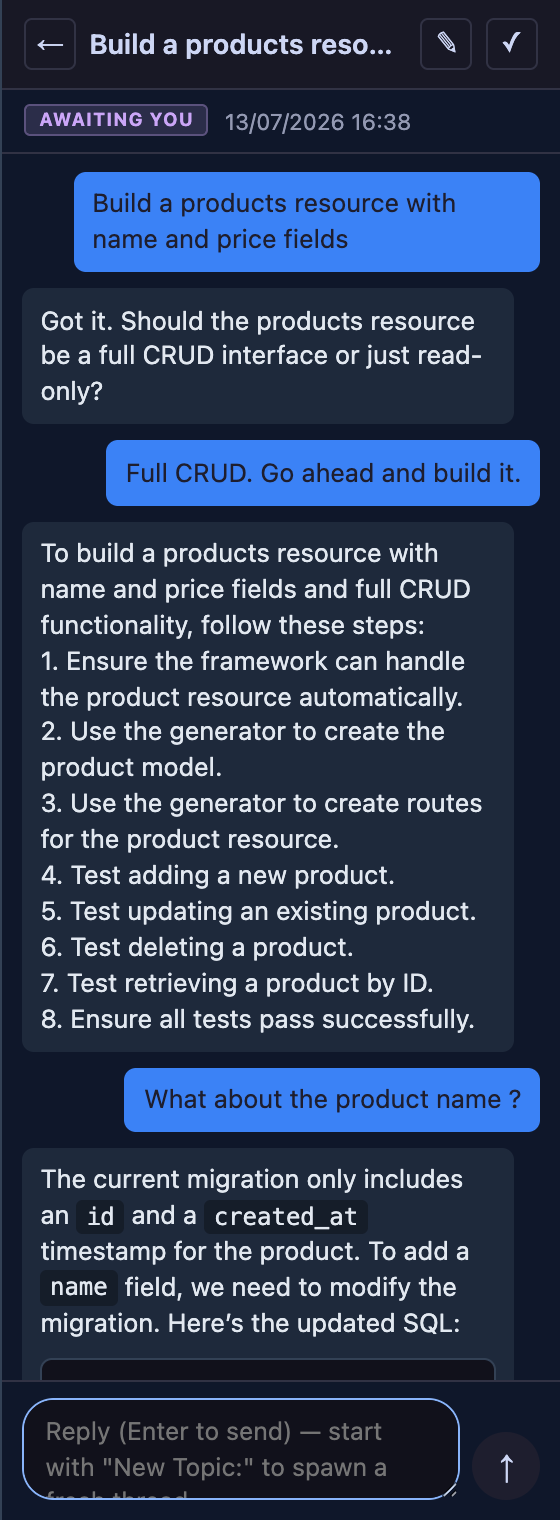
- Ask for what you want. In the Threads panel, type a request such as
Build a products resource with name and price fields. The coder generates the model, the CRUD routes and their tests, runs them, migrates the database, and reloads — then reports the live endpoint.
 {width=340}
Why the key matters#
The key grounds the coder against the current Tina4 API, so it writes correct, idiomatic code for your language instead of guessing. It reaches the version-current API at https://mcp.tina4.com rather than a local fallback, so the generated field types, route decorators, and ORM calls match the framework you are running. Without a key the coder still runs, falling back to a local reference.
What the coder does for you#
Each request runs through the same loop the framework uses by hand:
- Scaffolds first. It runs the built-in generators for models, routes, and
migrations, so the boilerplate is framework-correct before a line of custom logic is written.
- Writes the tests. Every resource comes with real tests — positive and
negative — and the coder runs them, so a green build is a build that works.
- Migrates and reloads. The database migration runs and the routes reload in
place. The new endpoint serves on the next request, with no restart.
- Reports proof. You get the created files, the test result, and the live
endpoint back in the thread — the evidence that the build works, not just a claim that it does.